

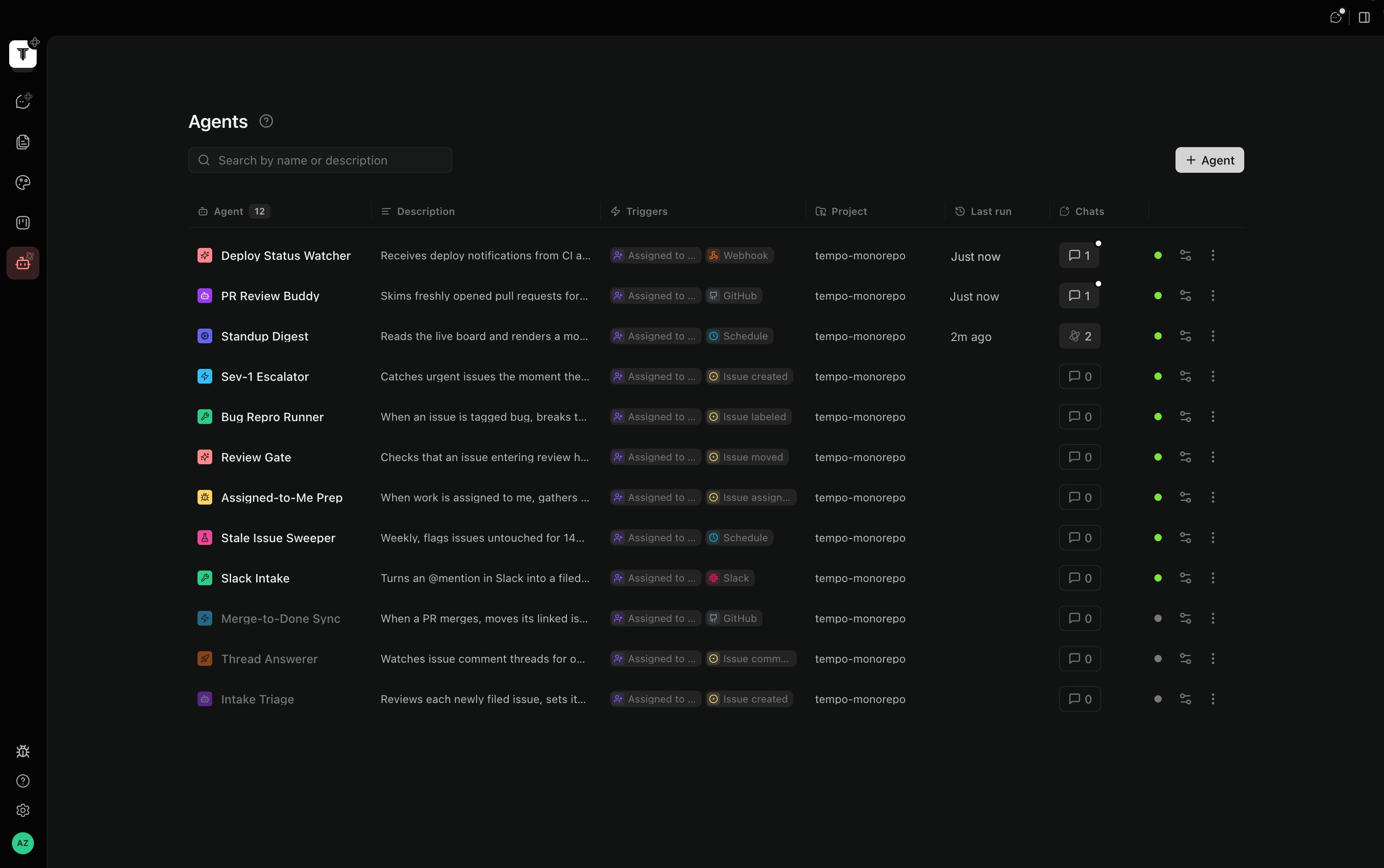
- Born disabled. A new agent never fires until you explicitly enable it from the Agents grid.
- Acts as you. Agents use your Tempo identity and your machine — there is no separate bot identity to manage, and nothing runs while Tempo isn’t running.
Triggers
An agent fires from one or more triggers:
Slack conversations are threaded: replies in a thread the agent posted in are delivered back into the same agent session, so a conversation with an agent continues instead of starting over.
Templates
The fastest way to a working agent is a template — generalized versions of the agents the Tempo team runs on itself daily (bug fixing, feedback triage, PR review, release driving, and more). Open the gallery from the empty Agents tab, the Templates button in the toolbar, or the “start from a template” link inside the new-agent editor. Picking a template prefills the whole editor — name, prompt, effort, and (for scheduled templates) the schedule. Prompts are written to work as-is out of the box; tweak them to match your team’s process whenever you like. Before enabling:- Add the trigger the template suggests. Slack and GitHub templates arrive without their trigger, since both need a one-time connection first — the editor shows a banner naming the suggested trigger until you add one. Connect Slack (or add the GitHub webhook), then add the trigger right from the banner or the Triggers section.
- Enable the agent from the grid. Until then it’s inert.
Runs
Every run appears as a chat under the agent, so you can watch it work live, scroll back through history, or jump in mid-run.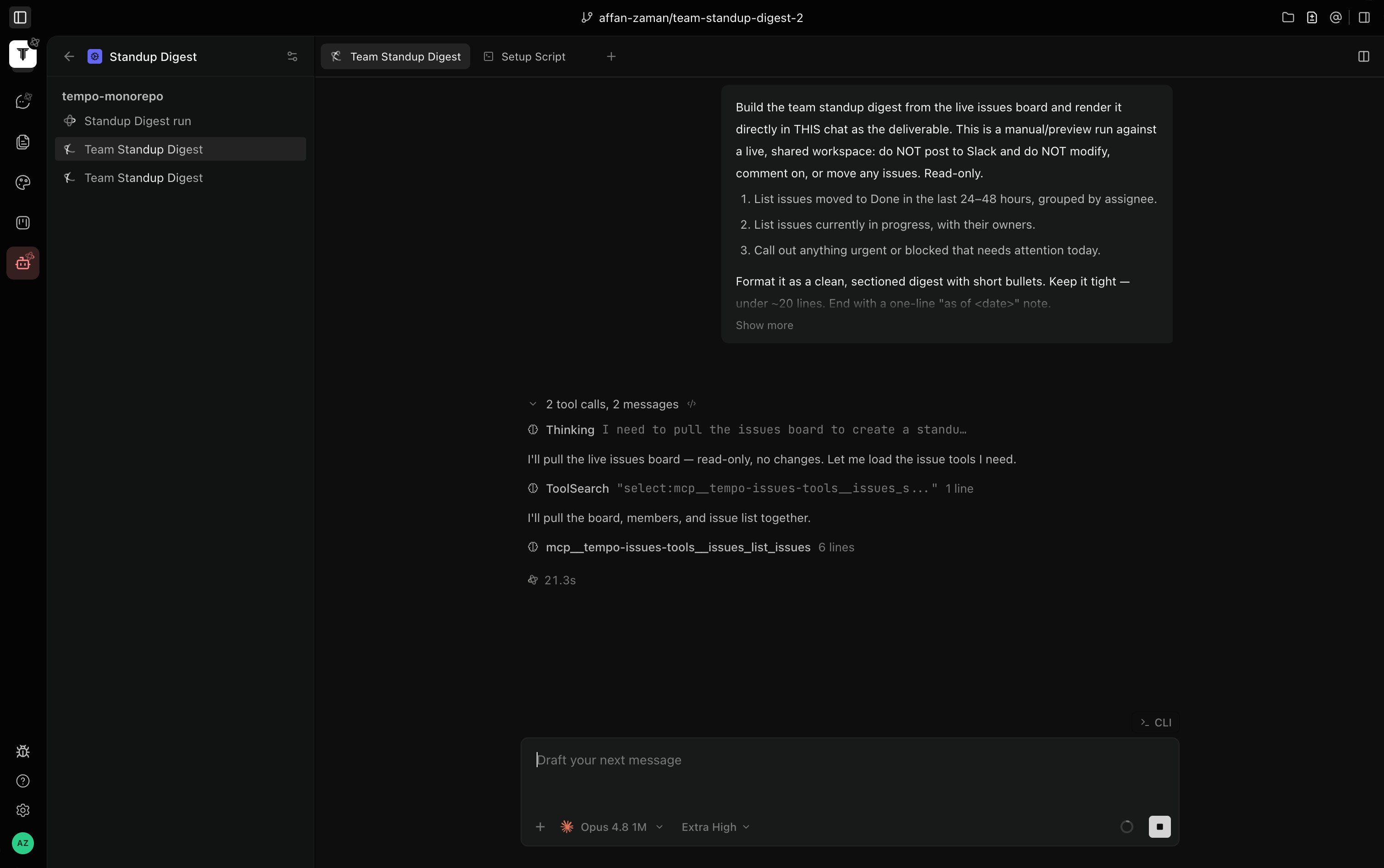
Anatomy of an agent
- Name, icon, color — how the agent shows up on the board, in Slack, and in pickers.
- Project — the repo the agent works in.
- Model + effort — which model runs the session and how hard it thinks.
- Prompt — the standing instructions for every run. Write it like a runbook: what to read, what to do, where to report back, and when to pause and ask.
- Assignable — whether the agent appears in the issue assignee picker.
- Triggers — any combination from the table above.