

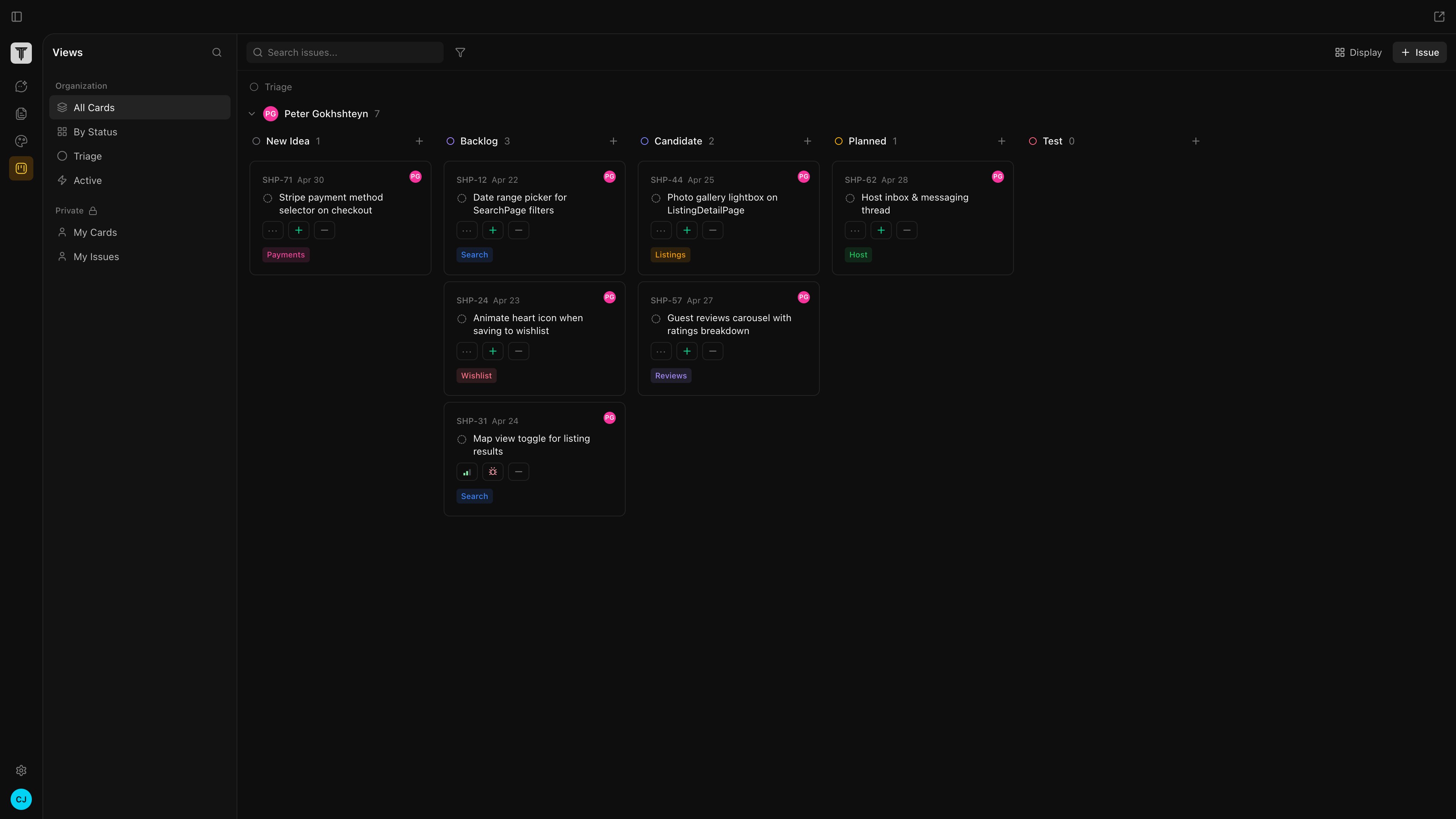
The Issues tab is Tempo’s built-in Kanban tracker. Cards live in your organization’s database, not in a separate SaaS, and they link directly to the artifacts they describe — branches, PRs, canvases, and docs. Agents can pick a card up, run it in a worktree, and open a PR when they’re done. Open it from the Issues icon in the left sidebar.
The Issues board

What’s on a card

  • Title and description — a TL;DR of the work. Detailed requirements belong in a linked PRD.
  • Status — Backlog, In Progress, In Review, Done. Customizable per board.
  • Assignee — a teammate, you, or an agent.
  • Links — branch, PR, canvases, docs, chat sessions. Status of linked PRs (open, merged, failing CI) shows on the card.
  • Labels — tags for filtering and views.

Agents can run a card

Assign a card to an agent and it picks the work up:
  1. Spins up an isolated git worktree.
  2. Reads any linked docs and canvases as context.
  3. Makes the changes.
  4. Opens a PR and moves the card to In Review.
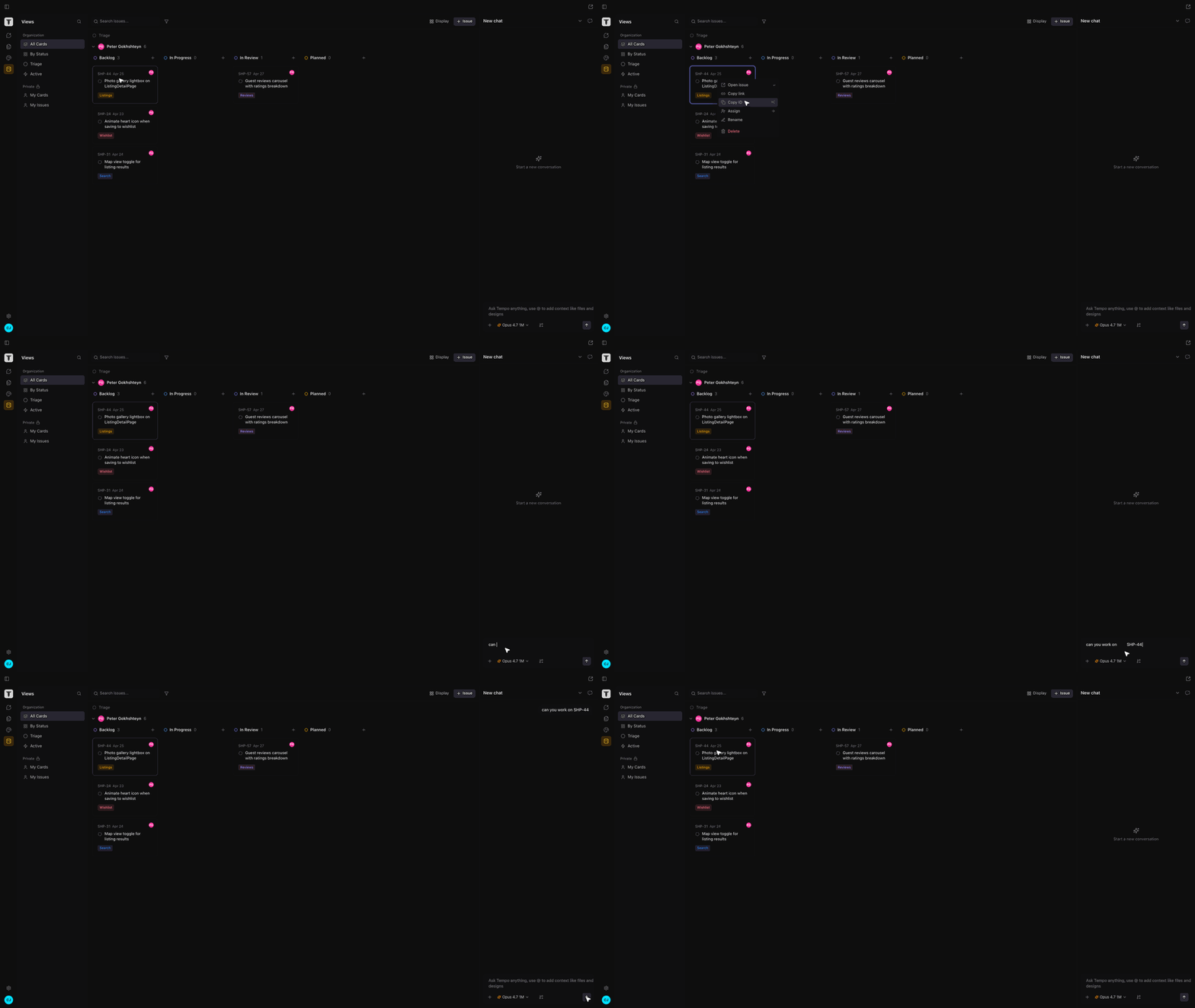
You stay in the loop in the Chat tab — review the diff, approve, or send the agent back with feedback.
An agent picking up an Issue

Views

Filter and group cards by assignee, label, status, or linked artifact. Save views per board so you can flip between “my open PRs,” “in review this week,” or “everything blocked on design.”